
Amazon Backend Keywords: Complete Guide to the 250-Byte Field
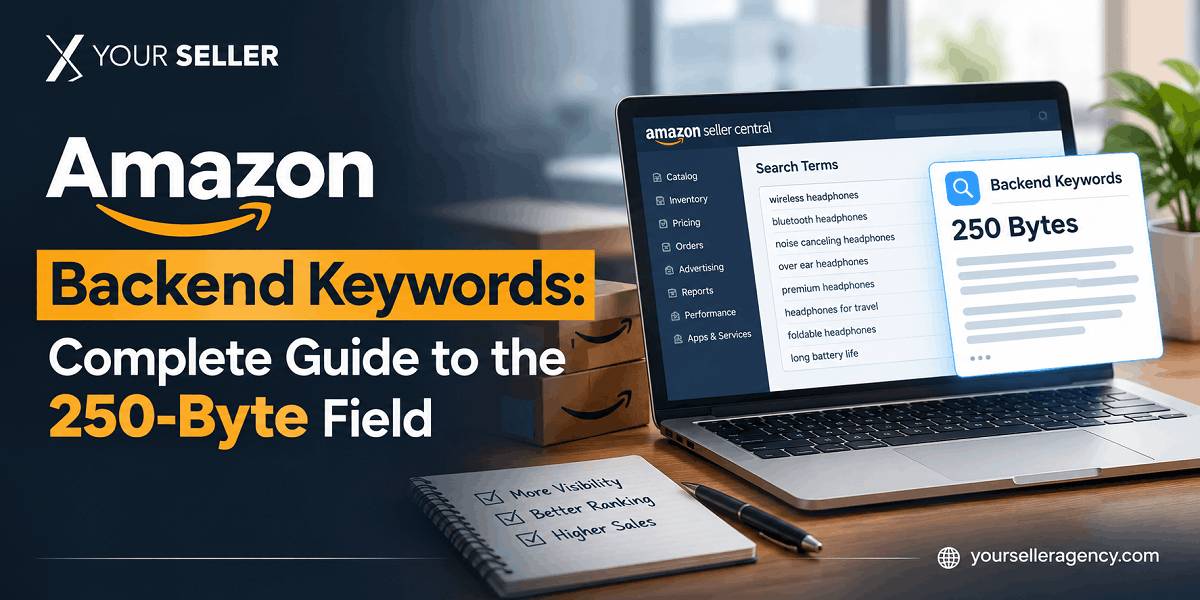
Amazon backend keywords are hidden search terms you enter in Seller Central's Search Terms field. Amazon's algorithm indexes them to match your product with buyer queries — customers never see them. The field accepts up to 250 bytes in the US marketplace (not 250 characters — the distinction matters), and exceeding that limit by even one byte causes Amazon to silently ignore every single term you entered, with no error message to warn you.
This guide covers exactly what belongs in the field, what wastes your bytes, how to count bytes correctly, how to verify your terms are indexed, and how to build a backend keyword strategy that compounds over time rather than sitting stale for months.
What Are Amazon Backend Keywords?
Backend keywords, backend search terms, and generic keywords all refer to the same thing: the Search Terms field inside the Keywords tab of your product listing in Seller Central. The field is invisible to shoppers on your product page — it exists purely to give Amazon's search algorithm additional signals for matching your product to relevant queries.
Think of it as a second chance to capture search traffic that your visible listing copy can't cover. Your title might say "insulated stainless steel water bottle 32oz" — but buyers also search "thermos for hiking," "leak proof gym bottle," and "BPA free water flask." Those variations, if they accurately describe your product, belong in the backend because they wouldn't fit naturally in your title or bullets without sounding forced.
The field lives in Seller Central under Inventory → Manage All Inventory → Edit (on any listing) → Keywords tab → Search Terms. In bulk flat file uploads, it maps to the attribute called generic_keywords or item_keywords depending on your category template.
The 250-Byte Limit — And the Silent Failure Most Sellers Don't Know About
This is where most sellers make their most costly backend keyword mistake — and most guides don't explain it clearly enough.
Bytes vs. Characters
The US marketplace limit is 250 bytes, not 250 characters. For standard English letters, numbers, and spaces, one character costs one byte — so for most English-language sellers, 250 bytes and 250 characters feel identical. The difference surfaces with special characters: accented letters like é or ü cost 2–3 bytes each, symbols like ™ or © cost 2–4 bytes, and emoji can cost 4 bytes apiece. If your backend terms include any of these, your actual capacity in characters is lower than 250.
| Character Type | Bytes Per Character | Example |
|---|---|---|
| Standard English letters (a–z, A–Z) | 1 byte | stainless, bottle, gym |
| Numbers (0–9) | 1 byte | 32oz, 500ml |
| Space | 1 byte | Between each keyword |
| Accented/special characters | 2–3 bytes | é, ü, ñ, ç |
| Symbols and trademarks | 2–4 bytes | ™, ©, ® |
Marketplace Byte Limits — India Sellers, Pay Attention
| Marketplace | Byte Limit | Note |
|---|---|---|
| Amazon US (Amazon.com) | 250 bytes | Standard for most sellers in this project |
| Amazon UK, Germany, France, Italy, Spain | 250 bytes | Same as US marketplace |
| Amazon India (Amazon.in) | 200 bytes | Lower limit — plan backend terms accordingly |
| Amazon Japan (Amazon.co.jp) | 500 bytes | Higher limit, Japanese characters are multi-byte |
| Amazon UAE (Amazon.ae) | 250 bytes | Arabic characters are multi-byte — plan carefully |
The Silent Failure — The Mistake That Costs Sellers Without Them Knowing
If your backend keyword string exceeds the byte limit by even a single byte, Amazon does not display an error message. It does not truncate at byte 250. It silently ignores your entire backend keyword field as if it were empty — none of your terms get indexed. You can spend weeks wondering why certain keywords aren't driving traffic when the actual problem is that your backend is empty from Amazon's perspective.
Across 100+ seller accounts managed at YourSeller, this is the single most common backend keyword problem we find during listing audits. The fix is simple: use a free UTF-8 byte counter tool (search "byte counter online") to measure your backend string before pasting it into Seller Central. Aim for 248 bytes maximum to leave a 2-byte safety buffer. Never paste directly from a keyword research document without counting first.
How to Add Backend Keywords in Seller Central
Log in to Amazon Seller Central
Go to Inventory → Manage All Inventory
Find your product and click Edit
Open the Keywords tab
Find the Search Terms field — this is your backend keyword field
Paste your keyword string as a single line of space-separated terms. No commas, no semicolons — spaces only
Verify your string is under 248 bytes before saving
Click Save and Finish
Allow 24–72 hours for Amazon to index the updated terms
For bulk updates across multiple ASINs, the backend field maps to generic_keywords in most flat file templates. Download your category's inventory template from Seller Central → Add Products via Upload, fill in the column for each ASIN, and upload. The same byte limits apply — measure each row individually, not as a combined total.
What to Include vs. Exclude — And Why Each Decision Matters
The backend field is most valuable for keywords that genuinely expand your indexation coverage — terms that accurately describe your product but weren't used in your title, bullet points, or product description. Every byte you spend on terms already in your visible copy is a byte wasted.
| Include ✅ | Exclude ❌ | Why |
|---|---|---|
| Synonyms for your product type | Keywords already in your title or bullets | Amazon indexes title and bullets separately — repeating wastes bytes |
| Common abbreviations (BPA, SS, OZ) | Competitor brand names or ASINs | Policy violation — triggers IP complaints |
| Long-tail variants that didn't fit in the title | Promotional words (best, cheapest, top-rated) | Amazon actively filters and ignores promotional terms |
| Complementary use cases (gym, hiking, office) | Punctuation (commas, semicolons, hyphens) | Punctuation consumes bytes without adding keyword value |
| Common misspellings buyers actually type | Duplicate words within the backend string | Amazon counts each word once regardless of repetition — duplicates waste space |
| Size or material variations not in the title | URLs, HTML tags, or special characters | Not parsed by Amazon's indexation system |
| Regional or category-specific terminology | Single letters or irrelevant number strings | No indexation value |
One point that surprises many sellers: you do not need to repeat your product's brand name in the backend. Amazon already knows your ASIN is associated with your brand from the listing's Brand field. That space is better used for functional descriptors buyers search without knowing the brand name.
How to Find, Verify, and Keep Backend Keywords Current
Finding the Right Backend Keywords
Four sources give you backend keywords worth using:
Your auto campaign Search Term Report: In Amazon Advertising, run an auto campaign for 2–4 weeks and download the Search Term Report. Every term that generated at least one click and appears in your ad data is a real buyer search. Terms with clicks but not yet in your listing or backend are prime candidates.
Competitor keyword research: Run reverse ASIN research on your top 3–5 competitors and filter for keywords they rank for organically that your listing doesn't already cover. Our guide on finding Amazon competitor keywords covers the exact process, including the free methods that work without paid tools.
Amazon Brand Analytics Search Terms: Brand Registry-enrolled sellers can access the top searched terms in their category, including buyer click and conversion data. Use Search Frequency Rank data to prioritize by actual search volume before allocating your 250 bytes.
Customer reviews and Q&A: The language buyers use in 1–3 star reviews and in the Q&A section often reveals how they describe the product in ways that differ from how sellers write listing copy. "Doesn't fit standard cupholder" is a buyer signal that "standard cupholder size" belongs in the backend for any bottle seller.
Verifying Your Backend Keywords Are Indexed — Free Method
Amazon doesn't show you a confirmation that your backend keywords were accepted. The only way to verify indexation is to test manually or with a tool.
Free manual method: Go to Amazon.com and search for the following: ASIN [your ASIN] [keyword you want to verify]. For example: ASIN B08N5WRWNW stainless insulated bottle. If your product appears in the results, that keyword is indexed for your ASIN. If you get no results, it isn't. This works per keyword — test your highest-priority terms one at a time.
Allow 24–72 hours after updating your backend terms before running indexation checks. Amazon typically processes keyword updates within this window, though during high-traffic periods (Q4, Prime Day week) updates can take slightly longer.
If keywords aren't indexing after 72 hours: First check your byte count — silent failure from exceeding the limit is the most common cause. If the count is within limit, check whether the terms are genuinely relevant to your product's category — Amazon's algorithm applies relevance filtering and may suppress terms it determines don't match your product type.
When to Update Backend Keywords
Most sellers set backend keywords at launch and never revisit them. In competitive categories, that's a significant missed opportunity. A quarterly review schedule keeps your backend aligned with current search behavior:
Every 90 days: Download your auto campaign Search Term Report for the previous quarter and look for high-click terms not yet in your backend or listing copy. Add the strongest ones.
Seasonal rotation: Before peak seasons, add seasonal terms (gift, holiday, summer, back to school) relevant to your product. Remove them when the season ends to free bytes for year-round terms.
After ad campaign testing: Any term that generated 10+ clicks with reasonable conversion rate in a manual PPC campaign is now proven to convert for your product. Confirmed converters belong in backend and eventually in bullet points.
Backend keywords also connect directly to your Amazon advertising performance. When you run auto campaigns, Amazon uses your product's indexation — including backend terms — to decide which searches to enter your ads into. A well-filled backend with relevant terms gives auto campaigns more accurate discovery signals from day one, rather than requiring weeks of broad-match learning to find the right queries.
Frequently Asked Questions
What is the Amazon backend keywords character limit?
The limit is 250 bytes, not 250 characters, in the US, UK, and European Amazon marketplaces. For standard English text with no special characters or accented letters, bytes and characters are equivalent — so 250 bytes accommodates roughly 250 standard English characters. Amazon India's limit is 200 bytes, and Amazon Japan allows 500 bytes. The safest practice is to use a UTF-8 byte counter tool and keep your backend string at or under 248 bytes, leaving a 2-byte safety buffer. Exceeding the limit by even one byte causes Amazon to silently ignore the entire field with no error notification.
Do I need to repeat keywords from my title and bullets in the backend?
No — and doing so wastes your limited byte budget. Amazon already indexes the keywords that appear in your product title, bullet points, and product description. The backend field's value comes from covering terms that aren't already in your visible copy: synonyms, abbreviations, complementary use cases, common misspellings, and long-tail variations that couldn't fit naturally in your title or bullets. Duplicating frontend keywords in the backend gives you no additional indexation benefit and leaves fewer bytes available for incremental coverage.
Can I use competitor brand names in Amazon backend keywords?
No. Using a competitor's brand name in your backend search terms is a violation of Amazon's listing policies and their intellectual property rights. Amazon actively scans backend keyword fields for competitor brand names and will suppress listings or issue policy violations when they're found. This also extends to competitor product names, model numbers associated with specific brands, and any trademarked terms that belong to another seller. Generic category terms that happen to appear in competitor names (like "bluetooth" or "premium") are fine to use because they describe product attributes, not brand identities.
How do I know if my Amazon backend keywords are being indexed?
Amazon doesn't send a confirmation when backend keywords are accepted. The manual verification method: go to Amazon.com and search "ASIN [your ASIN] [keyword to verify]" — for example, "ASIN B08N5WRWNW travel water bottle." If your product appears in results, the keyword is indexed for your listing. If no results appear, it isn't. Run this test 24–72 hours after updating your backend, as Amazon typically processes updates within that window. If keywords aren't indexing despite the field being within the byte limit, check that the terms are genuinely relevant to your product's category — Amazon applies relevance filtering and may suppress terms it determines don't match your product type.
What's the difference between backend keywords and backend search terms on Amazon?
They refer to the same field. "Backend keywords," "backend search terms," "search terms," and "generic keywords" are all names sellers and tools use for the Search Terms field inside the Keywords tab of your Seller Central listing editor. Amazon's Seller Central interface labels it "Search Terms," while third-party tools and guides most commonly use "backend keywords" or "backend search terms." In flat file bulk uploads, the same field is typically labeled generic_keywords or item_keywords depending on the category template. The function, byte limits, and rules are identical regardless of which name you use.
Need Help Optimizing Your Amazon Listing's Keyword Coverage?
Backend keywords are one layer of a fully optimized listing — and the one most sellers underinvest in. At YourSeller Agency, our Amazon listing and cataloging team handles end-to-end keyword architecture for sellers in the USA and India — including backend keyword research, byte-safe formatting, indexation verification, and quarterly refresh cycles as part of our Amazon marketplace management service.
Our 90-day sprint model. No long contracts. Measurable results from month one.
